
Platform
nanoCAD 26
Commercial, Educational and Trial licenses are available.
What you get
Professional CAD platform based on the industry’s standard DWG format
The nanoCAD platform is the ultimate tool for creating, editing, validating, sharing, and managing CAD models. It switches instantly between ribbon and classic styles of the CAD interface so that you can start working with it right away. nanoCAD supports all active versions of DWG, the world’s most popular format for storing CAD drawings - right up to today's DWG 2018 and all the way back to DWG R11. Registered nanoCAD users always receive technical support free.
Comprehensive Tool Set
nanoCAD 26 provides you with a full set of basic and advanced design tools for creating and editing 2D/3D objects. It offers multiple drawing and editing methods for most geometric elements.
Efficient printing
Powerful Excel-style table editor
Advanced dimensioning functions
Reusable blocks and references
Tool palettes
Sheet sets
IFC support
Drawing recovery, audit, and cleaning utilities for damaged files
2D/3D Point Clouds
Dynamic input
Point Cloud Project Manager
And
Technical support
Customizable user interface
Open API
Annual updates
New in nanoCAD 26
- Multilingual Interface: English, Spanish, French, German, Portuguese, Korean, Chinese
- Native Command Aliases
- Document Partial Opening
- External References Freezing
- Visual Style Improvements
- Opening Third-Party Files
- Snap
- Batch File Processing
- Layers
- Dialog and Interface Updates
- Sheet Set
- New Features of Point Clouds
3D Solid Modeling
Mechanica

Construction

Raster

Topoplan

nanoCAD 26 Features
User Interface
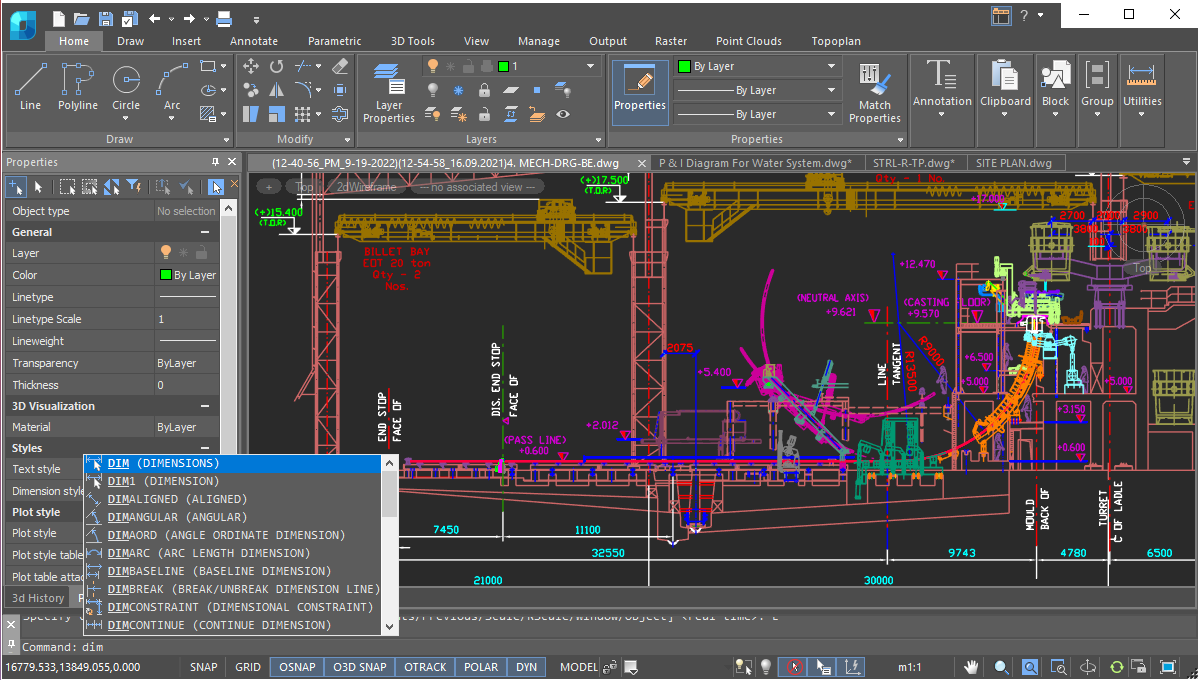
nanoCAD’s operating principles are designed to look and feel just like other well-known CAD systems. This means that any experienced designer can master nanoCAD instantly. Drawing spaces, command lines, positions of menu items, and icons are recognizable, so there is nearly no need for retraining. You can switch back and forth between the modern ribbon and classic CAD user interfaces instantly. nanoCAD’s visual interface editor customizes almost every aspect of nanoCAD. Settings can be copied from one workstation to another.
Direct DWG Format Support
The wide range of DWG versions supported by nanoCAD (from DWG R11 to today’s DWG 2018) means that drawings can be saved and reused without conversion or data loss in nanoCAD and other CAD systems. To provide a unified processing process, nanoCAD is one of the few systems on the CAD market to offer full support for DWG and all aspects related to it.
Saving unsaved files
nanoCAD’s new save feature prevents data loss in cases where the Save option is accidentally declined, such as when many files are closed at the same time. Other scenarios include deleting objects and then saving the drawing, or when the undo/redo mechanism is turned off. In these cases, the new Save File History option restores files from a temporary storage.

Open API
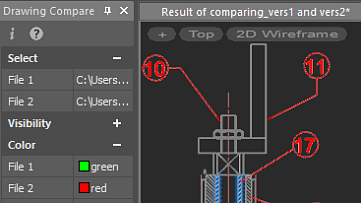
Drawing Comparison
nanoCAD allows you to find differences between two similar-looking drawings in model space. It detects objects that have been modified, added, or removed from drawings being compared.
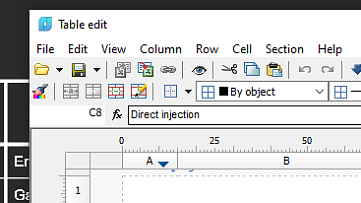
Powerful Excel-style table editor
nanoCAD’s table editor blows away the competition with its powerful set of database-like capabilities, along with tables that embed macros and formulas in cells.
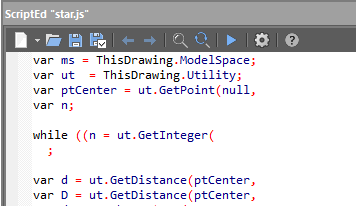
Scripting Engine
nanoCAD’s scripting engine allows everyday users to automate routine tasks. You can write macros using Visual Basic Script, Java Script, and other scripting languages supported by Microsoft Windows as well as use the built-in LISP interpreter.
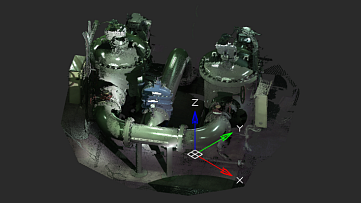
2D/3D Point Clouds
nanoCAD imports point clouds into drawings from laser scanners like TerraSolid (bin), ASPRS (las), and Leica (ptx and pts), as well as generic point cloud files (pcd). The Import dialog box is powerful enough to import only the regions of clouds you need. You can create and modify clouds with sections and clips, and tune visualization parameters, such as color by elevation.
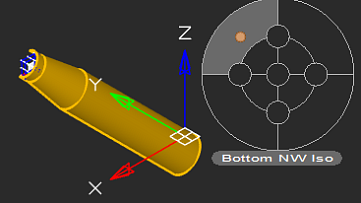
Locator Function
With the Locator tool, you interactively rotate the view of a model while holding down the Alt key, and then select any point on the locator circle, or choose one of the four marked points to rotate a view by 90◦.The arrow points to the new view rotation position.
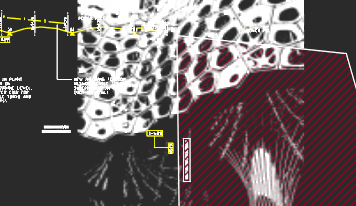
Transparency Command
The new Transparency command toggles the transparency of background pixels in raster images. Access this new command through the ribbon’s Visualization group, the Raster menu, or the Raster toolbar.
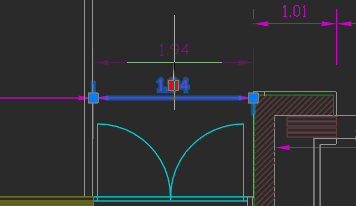
Associative Design Elements
For associative dimensions and multileaders created in other CAD systems, associativity with objects is maintained in nanoCAD. Associative links with dimensions can be broken by shifting the grips of extension lines.
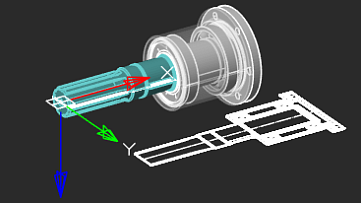
Extensive Commands for Creating and Editing 2D/3D Objects
nanoCAD provides comprehensive tools for 2D/3D object creation and editing:
-
Create and edit 2D/3D objects, text, and design elements
-
Customize display settings and printing for technical documentation
-
Generate tables and specifications using block attributes
-
Configure working environments to international standards
-
View, create, and modify 3D surface objects
-
Seamlessly share technical information with other CAD systems
-
Insert raster images into desig
More great features
Batch Plot Tools
nanoCAD lets you set up multiple plot areas and plot multi-page sets, which is useful for printing large drawings on small-format printers. The Batch Plot command creates and prints drawing sets without requiring you to babysit the printing process.