

Platform
Mechanica
What you get
Comprehensive Tool Set of nanoCAD platform
nanoCAD platform provides you with a full set of basic and advanced design tools for creating and editing 2D/3D objects. It offers multiple drawing and editing methods for most geometric elements. nanoCAD platform is the base on which you build a more powerful CAD system to your specifications.
Mechanica’s specialty tool set
The 3D Solid Modeling Module offers users the rigor of parametric modeling and the freedom of direct modeling, conveniently packaged together in one environment. Parametric modeling builds 3D geometry piece by piece, with formula-based parameters that specify and change sizes of and distances between parts. Direct modeling offers a what-you-see-is-what-you-get approach in which designers edit 3D models by pushing and pulling faces and edges.
- 3D constraints
- 3D parametric and direct modeling
- History tree
- Assembly tools
- Flat drawings generated from 3D models
- Reads most common CAD formats
- Dynamic UCS
And
Technical support
Customizable user interface
Open API
Annual updates
New in Mechanica
- Reworking of sheet metal
- DIN Flanges
- Fasteners according to standards
Mechanica Features
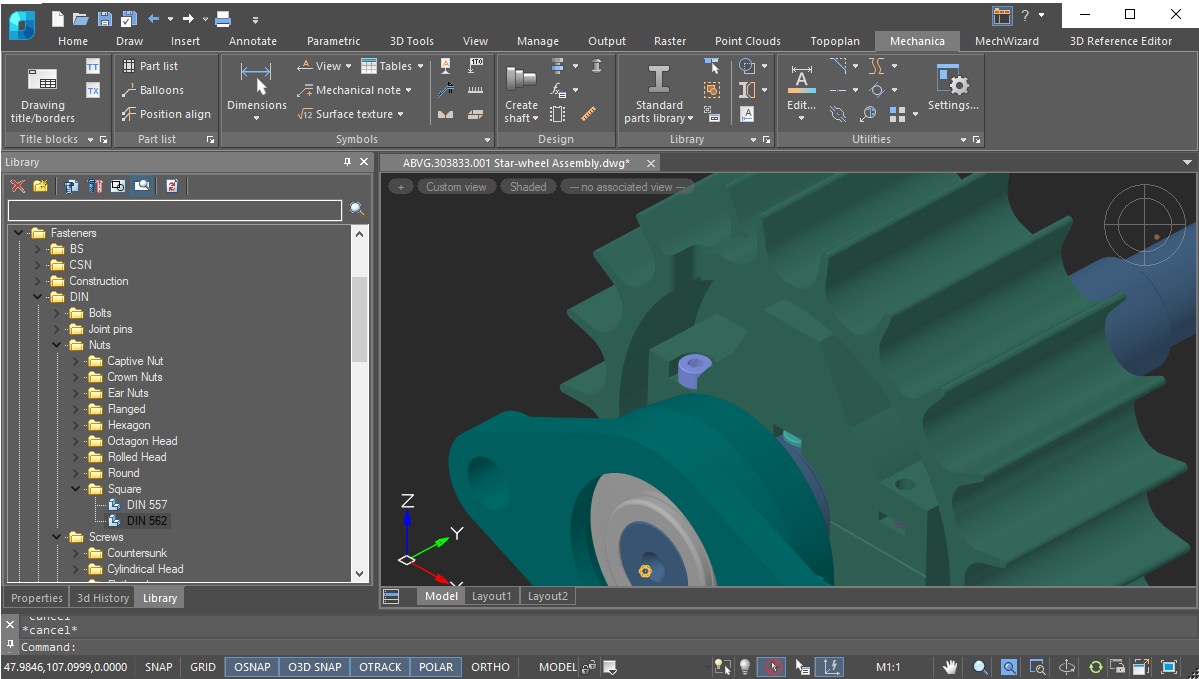
Library of standard and complex parts
- Search filter
- Fasteners
- Standard profiles
- Reamers
- Circuit elements symbols
- Technical sketches
- Machine accessories
- Mechanical gears, bearings, shafts, and sockets
- Electric motors
- Gear boxes
- Pipeline fittings
- Vessels and apparatus
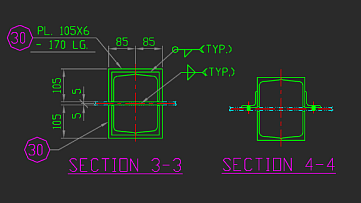
Broad range of design tools
- Supports multi-sheet drawings
- Constructs objects and symbols by a variety of methods, such as orthogonal drawing and using object snap
- Manages drawing order of overlaying objects
- Draws standard and custom line types, hatches, and fonts with styles
- Dimensions through multiple methods and places technology symbols
- Auto selects tolerances and deviations
- Automated check of texts labels standards
- Quick access to standard texts and symbols
- Checks spelling with built-in text editor
- Creates tables with built-in table editor
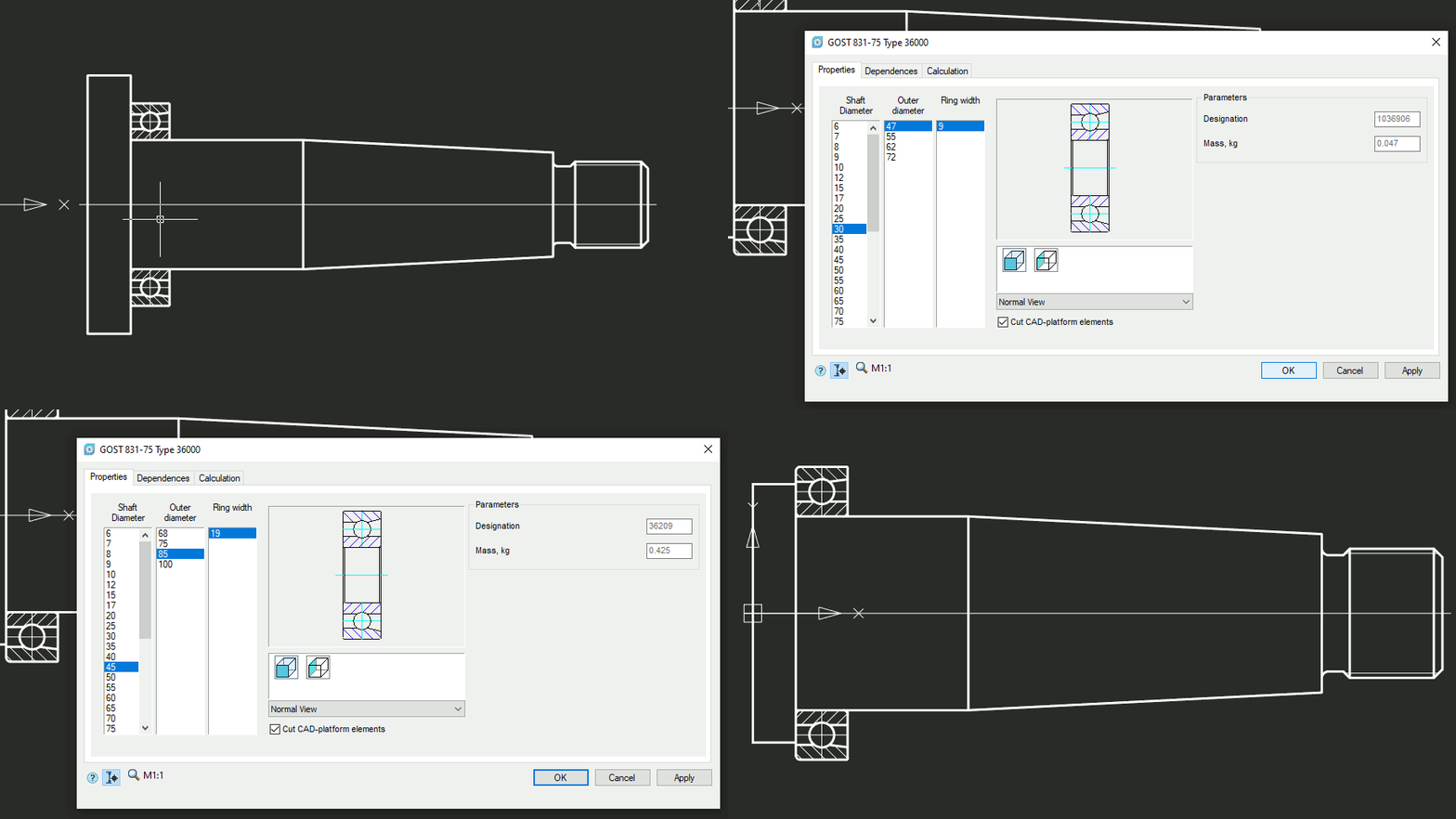
Parameterized parts database
Mechanica’s parts database contains a vast collection of parametric and object-dependent elements, including three-dimensional ones. When you change the parameters of a part, all associated parts in the drawing also change automatically, according to their database values. This powerful tool generates design variations, which improve the design quality.
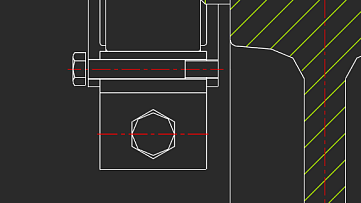
Designing bolted and riveted joints
Mechanica offers flexibility in handling bolt and rivet functions:
- Connect groups of parts with arbitrary thickness using bolts, screws, or studs
- Connect parts of arbitrary thickness with rivets displayed in regular and high accuracy, made of hollow and semi-hollow rivets
- Display simplified fasteners in joints
- Generate patterns of bolts and rivets in joints
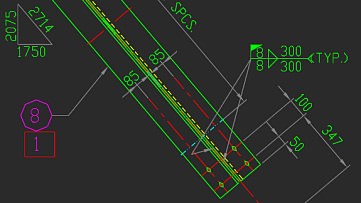
Standards-based engineering drawings
With Mechanica, you quickly make drawings based on international standards using these tools:
- ISO-standard fonts, line types, and dimension styles
- Tolerance zones and deviations for dimensions and fits
- Form and plane position tolerances
- Surface texture symbols
- Gradient symbols
- Editor for writing and changing technical notes and specifications
- Hole tables
- Semi-automatic views, cuts, sections, and breaks
- Auto-sorting letter labels of drawing elements
- Fixed joint symbols
- Marking and branding
- Formats and stamps
- Special arrays
- Cross-referencing drawing denotations in technical requirements
- Generation of table reports, with automatic updating of tables linked to drawing objects
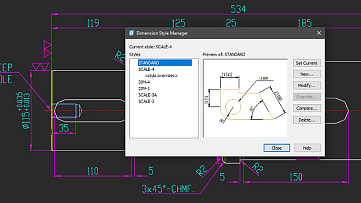
Dimension styles
Mechanica supports dimension styles, which are named collection of dimension settings that control the appearance of dimensions, such as the arrowhead, the text placement, and display of tolerances. It includes styles preset for a number of local and international standards.
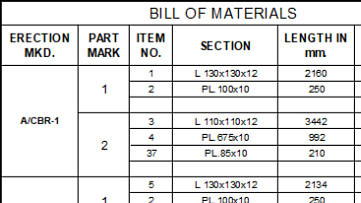
BOM tools
Mechanica’s BOM tools create bills of material of parts linked to drawings. BOM tables can contain the following items:
- Itemized specification numbers
- Electrical specifications
- Automatic receipt of specifications
- Custom specifications
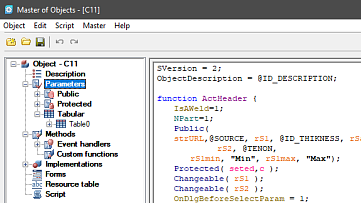
MechWizard parameterizer
Mechanica’s MechWizard guides users through advanced functions:
- Overlaying assembly and parametric dependencies on objects
- 'Behavior training' of standard parts
- Modification of database elements
- Custom database elements
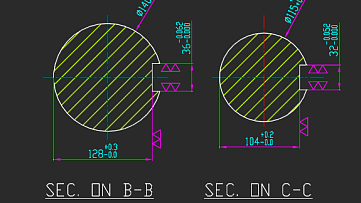
Detail views with automatic updates
Mechanica generates detail views as objects that are updated by the MCREGEN command when the source model changes. When at least part of a scaled object falls into the view frame, then its scale is applied to the entire detail view.
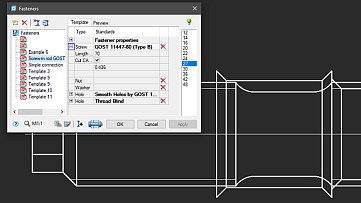
Calculation wizard
Mechanica’s powerful engineering calculators handle gear strengths, complex cross-sections of geometric properties with arbitrary axes, fasteners, bearing life at given load conditions, and more. Results of calculations are generated automatically as reports that show all formulas and ISO references used for the calculations.
More great features
Dimension styles
Detail views with automatic updates
MechWizard parameterizer
- Overlaying assembly and parametric dependencies on objects
- 'Behavior training' of standard parts
- Modification of database elements
- Custom database elements